A gift from Nomad Code Labs
loper
The easiest code editor on the market. Free. Have fun.
Quick, uncomplicated editing and viewing for the files you open ten times a day: .env, Markdown, JSON, YAML, TOML, shell scripts and source code. Double-click a file, see every key and value in color, fix it, save. That's it.
Free · Version 0.1.9 · macOS on Apple silicon · Updates itself
Database
DATABASE_URL
DB_POOL_SIZE
DB_SSL
API
API_KEY
STRIPE_SECRET_KEY
BASE_URL
CALLBACK_URL
App
APP_NAME
DEBUG
MAX_UPLOAD_MB
- 1# Database
- 2DATABASE_URL=postgres://app@localhost:5432/app
- 3DB_POOL_SIZE=10
- 4DB_SSL=true
- 5
- 6# API
- 7export API_KEY="sk-test-1234" # rotate monthly
- 8STRIPE_SECRET_KEY='sk_test_abc'
- 9BASE_URL=https://api.example.com
- 10CALLBACK_URL="${BASE_URL}/callback"
- 11
- 12# App
- 13APP_NAME=Loper Demo
- 14DEBUG=false
- 15MAX_UPLOAD_MB=25
Not an IDE.
Better than a text file.
Most of the time you don't need a full development environment. You need to change one value in a .env file, check a YAML config, read a README or fix a JSON setting. A heavy IDE takes a while to start and shows you a lot of panels you don't need. A plain text editor opens instantly but shows everything in one gray color.
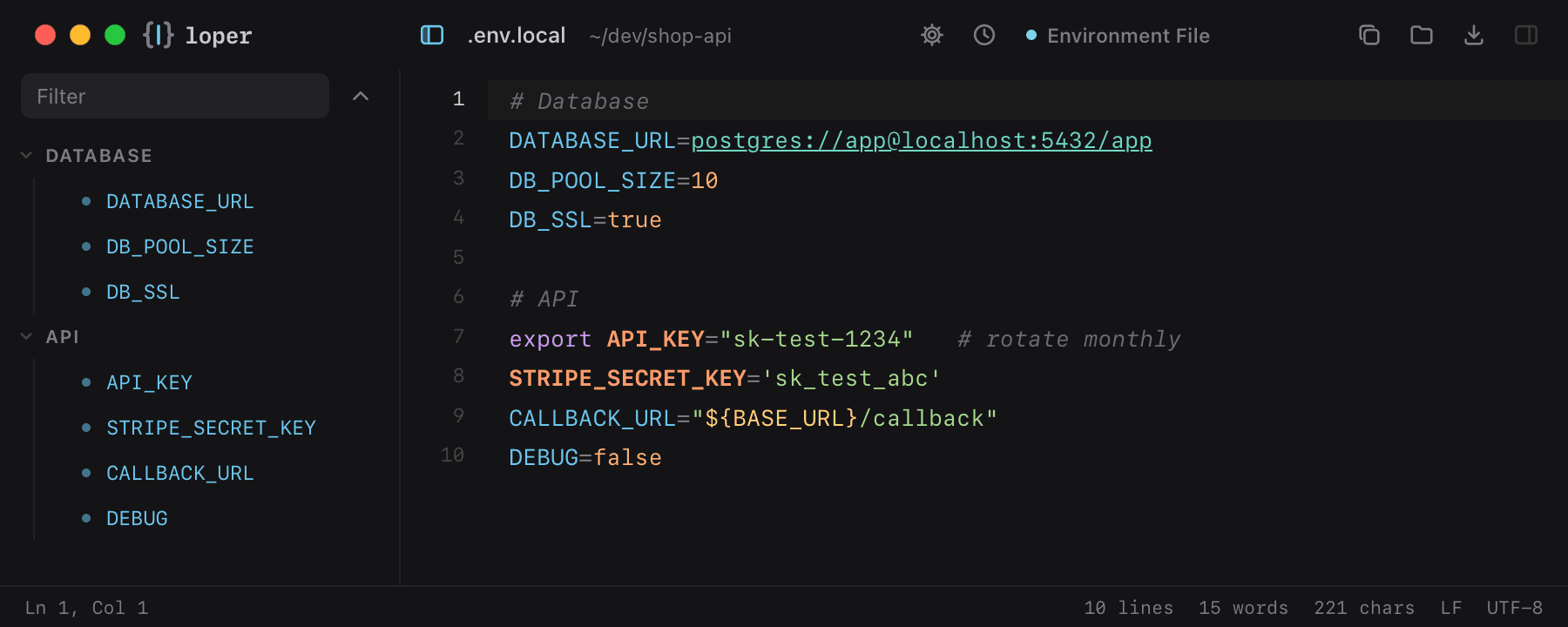
Loper sits right in between. It opens as fast as a text file, starts directly in edit mode, and colors every part of the file so you can read it at a glance: keys in cyan, values in green, numbers and booleans in orange, ${VARIABLES} in yellow and comments quiet in the background. Keys that look like secrets, such as API_KEY, TOKEN or PASSWORD, stand out in their own color, so you always know where the sensitive values are.
It is a free gift from Nomad Code Labs, built for developers, DevOps engineers, writers and anyone who edits config files: quick, easy, minimal, beautiful, and free.
Features
Everything you need to open a file, and nothing else.
Color that means something
Every file type gets clear syntax highlighting. In a .env file, keys are cyan, values green, numbers and booleans orange, ${VARIABLES} yellow and comments quiet.
Secrets stand out
Keys that look like credentials (API_KEY, SECRET, TOKEN, PASSWORD, PRIVATE…) get their own warm color, so you always see where the sensitive values are.
Opens like a text file
Double-click, Open With, drag a file onto the window or press ⌘O. Loper starts in edit mode and detects the language from the file name.
Default editor in one click
Loper › Make Loper the Default Editor sets Loper as the app for every file type it knows. Change it back any time in Finder.
Outline tree
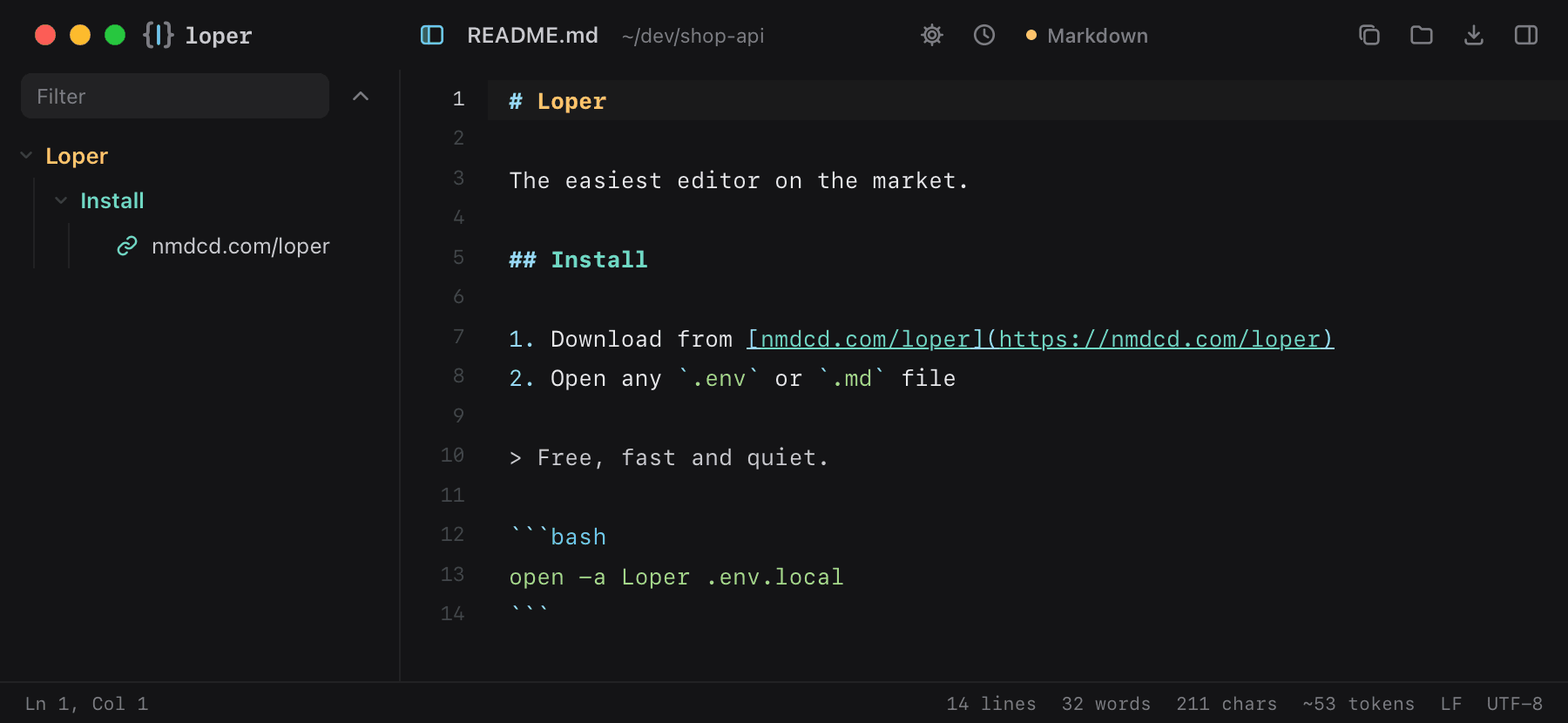
Markdown headings with their links and images; .env sections and keys; YAML, JSON and TOML key paths. Filter it, fold it, click to jump.
Live preview
Markdown, HTML and SVG render next to the editor while you type. Links open in your browser; HTML runs without scripts.
Resizable panels
Drag the borders of the outline and preview panels; double-click to reset. Loper remembers your layout.
Real editing tools
Find and replace (⌘F), multiple cursors, column selection, code folding, bracket matching, auto-closing brackets and Tab indent.
Quiet, beautiful design
No frames, no clutter: one clean surface in light or dark mode, following your Mac's appearance.
Language picker
Loper guesses the language from the file name. Wrong guess? Switch it in one click in the title bar.
Updates itself
New versions arrive inside the app: one click on Update & restart and you're on the latest Loper.
Tiny, local and private
A download of about 3.5 MB. Your files never leave your Mac; the only thing Loper asks the internet for is whether there's an update.
File types
150+ file formats. This is how they look.
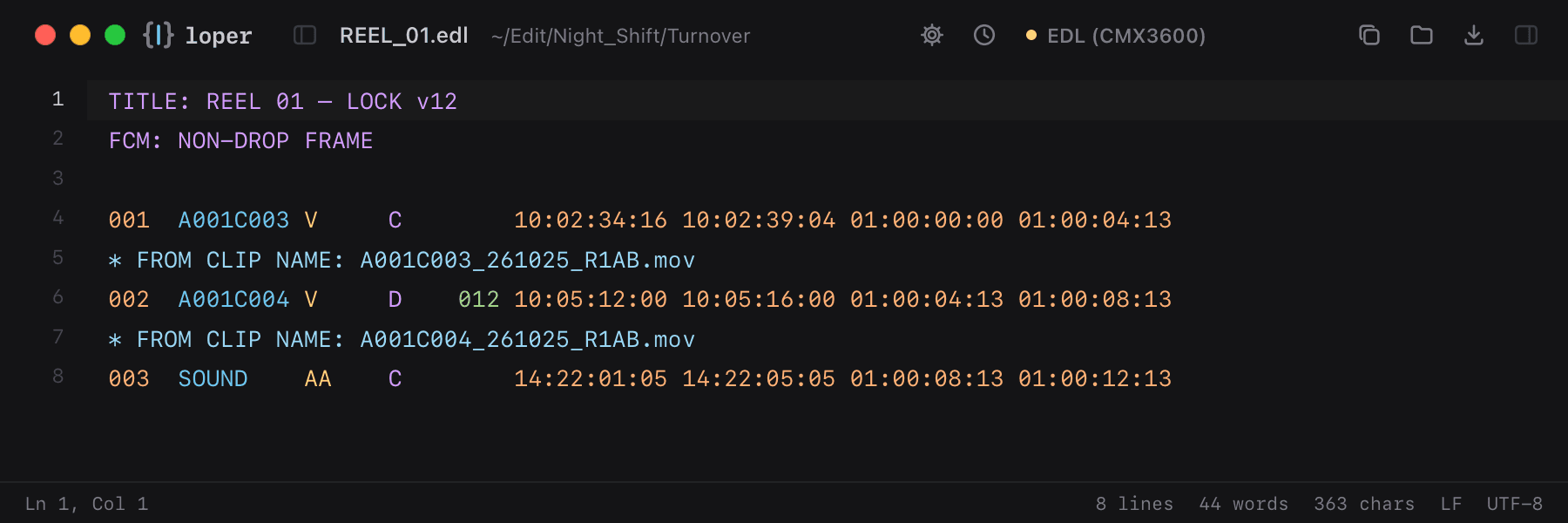
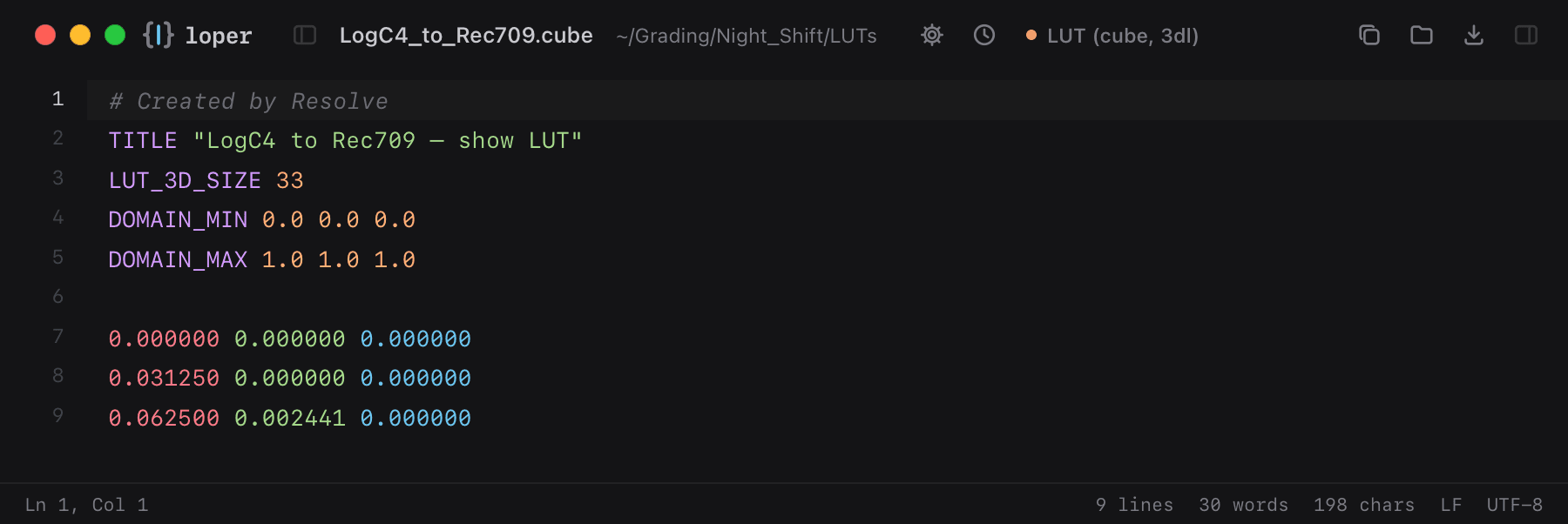
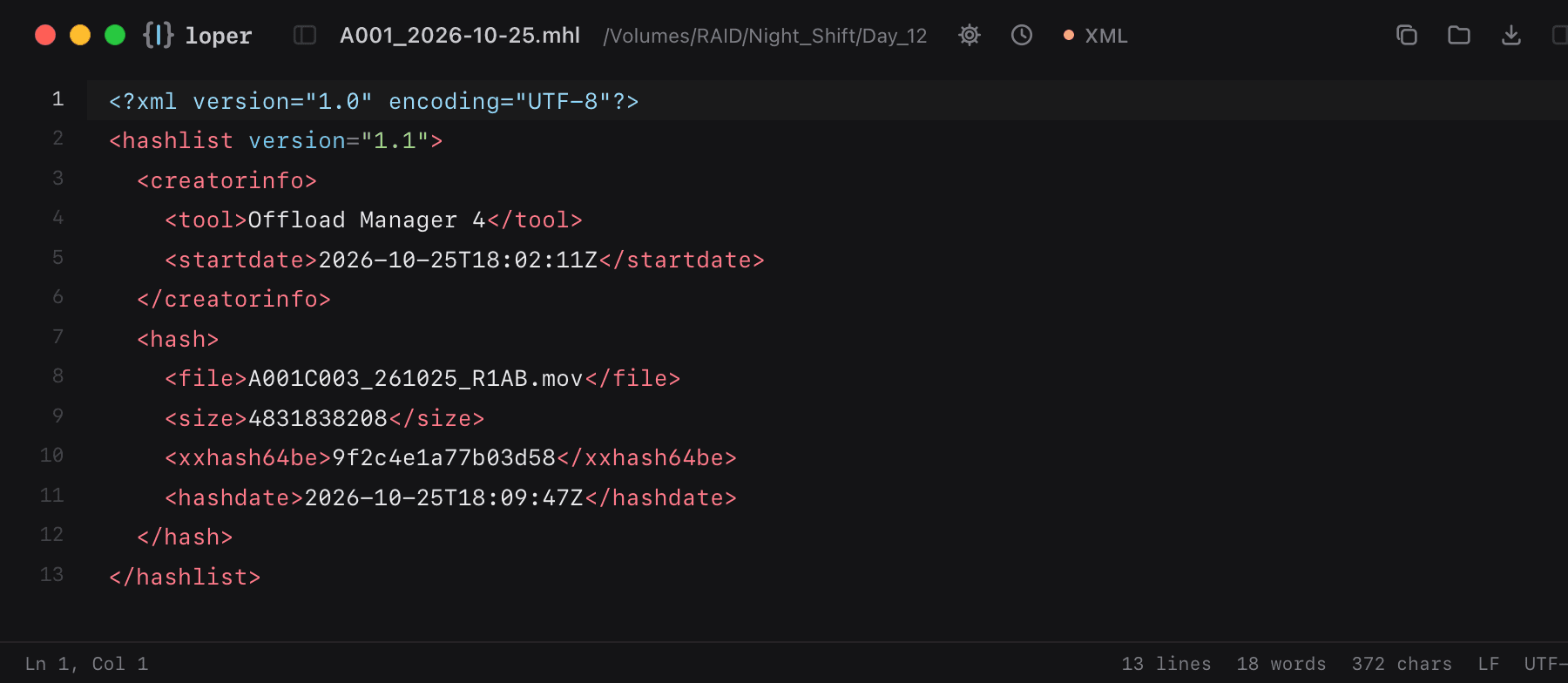
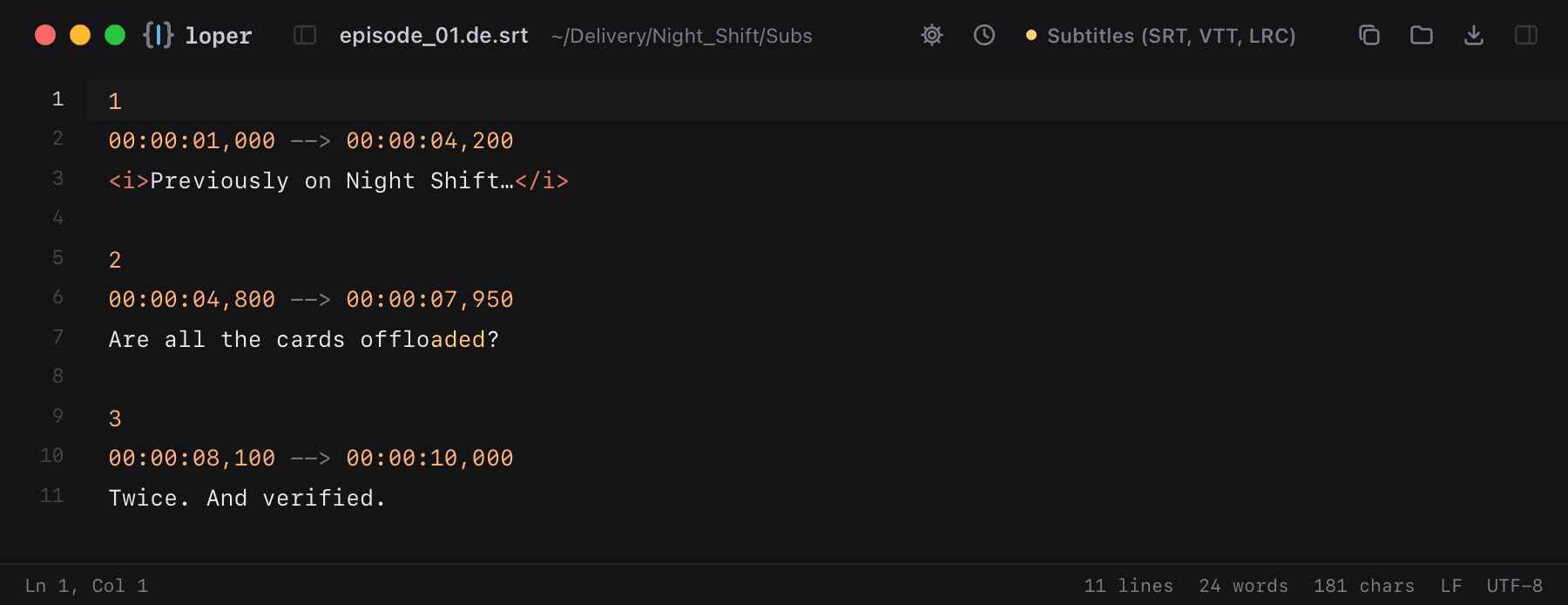
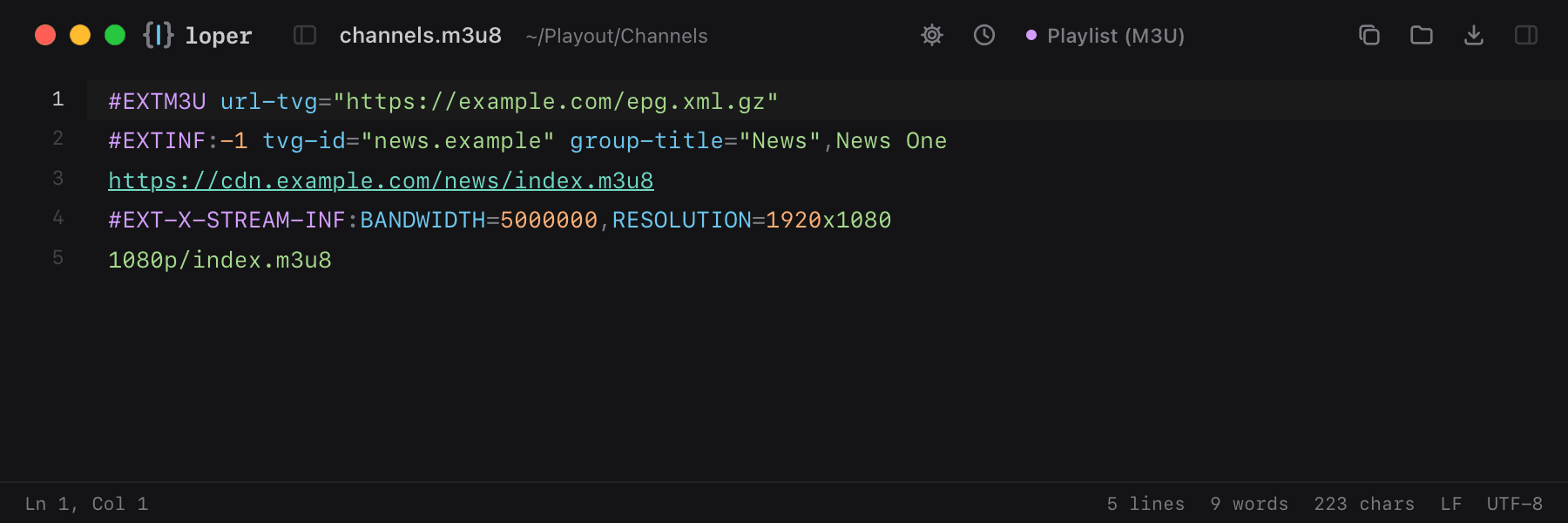
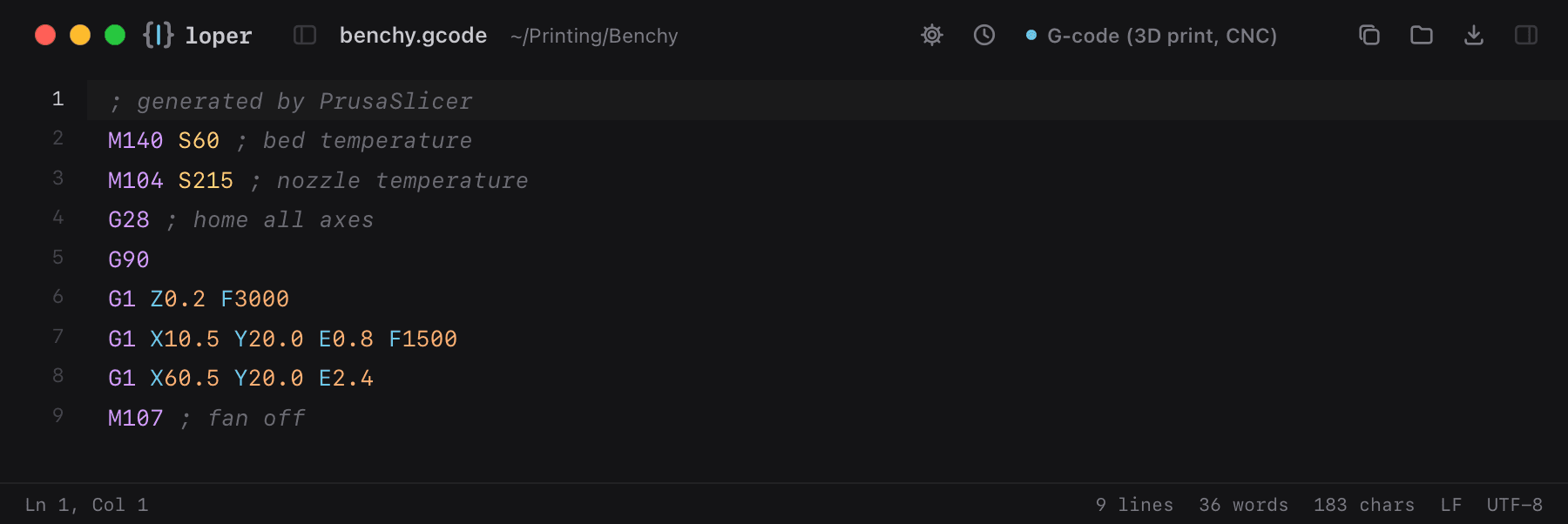
Real screenshots of Loper, no mockups. From .env and Markdown to EDLs, LUTs, checksum lists, subtitles, IPTV playlists and G-code: every key, value, timecode and parameter in its own color.
Not just for developers
Made for DITs, editors, colorists, sound & subtitle pros.
Media people open text files all day: EDLs and ALEs, MHL checksum lists, .cube LUTs and ASC CDLs, RED and Sony camera sidecars, sound report CSVs, SRT, VTT and SCC captions, XMLTV program guides and HLS playlists. In a plain text tool they are a gray wall. In Loper, timecodes, reels, hashes, parameters and values each get their own color, so you find the one you need in a second.
Loper also reads compressed .xml.gz EPG guides, Nuke scripts, OCIO configs, FCPXML, OpenTimelineIO and G-code for 3D printers and CNC machines.
See all formats with examplesQuestions
Good to know.
Is Loper really free?
+
Yes. Loper is a free gift from Nomad Code Labs, with no account, no subscription and no ads. If you like it, you can buy the team a coffee with $5, $10, $15, $20 or any amount, but you never have to.
What is the easiest way to open and edit a .env file on a Mac?
+
Download Loper and drag the .env file onto it, or right-click the file and choose Open With › Loper. Files that start with a dot are hidden in Finder; press ⌘⇧. (Command-Shift-Period) to show them. Loper colors every key and value, lists all keys in the outline and highlights secrets like API keys.
Which file types does Loper support?
+
Loper reads and writes .env files, Markdown, JSON, YAML, TOML, INI and properties files, JavaScript, TypeScript, JSX and TSX, Python, Rust, Go, shell scripts, CSS and SCSS, HTML, XML and SVG, SQL, Dockerfiles, Nginx configs, diffs and plain text. It detects the language from the file name, and you can switch it by hand.
Can I preview Markdown while I write?
+
Yes. Open the right panel (⌘E) to see rendered Markdown, HTML or SVG next to the editor. It updates as you type and both panels can be resized.
How do I make Loper my default editor?
+
Choose Loper › Make Loper the Default Editor… from the menu bar and confirm. Loper becomes the default app for every file type it knows. You can change any type back in Finder with Get Info › Open with.
Is Loper safe for files with secrets and API keys?
+
Your files stay on your Mac. Loper does not upload, sync or analyze your files and has no tracking. Its only network request is a check for new versions. Secret-looking keys are highlighted so you notice them before you copy or share a file.
How does Loper update?
+
Loper checks for a new version shortly after it starts. When one is available, a small notice offers Update & restart. Updates are cryptographically signed, so Loper only installs genuine releases from Nomad Code Labs.
Is Loper an IDE or a Sublime Text replacement?
+
Loper is deliberately smaller than an IDE. It is made for quick viewing and editing: opening a config file, fixing a value, reading a README. Many people keep their IDE for big projects and use Loper for everything quick.
Which Macs does Loper run on?
+
Loper currently runs on Macs with Apple silicon (M1 and newer). Windows and Linux versions may follow.
For you, for me
Like it?
Buy us a coffee.
Loper is free and stays free. If it makes your day a little easier, you can support the team with $5, $10, $15, $20 or any amount you like.
Download Loper — free